
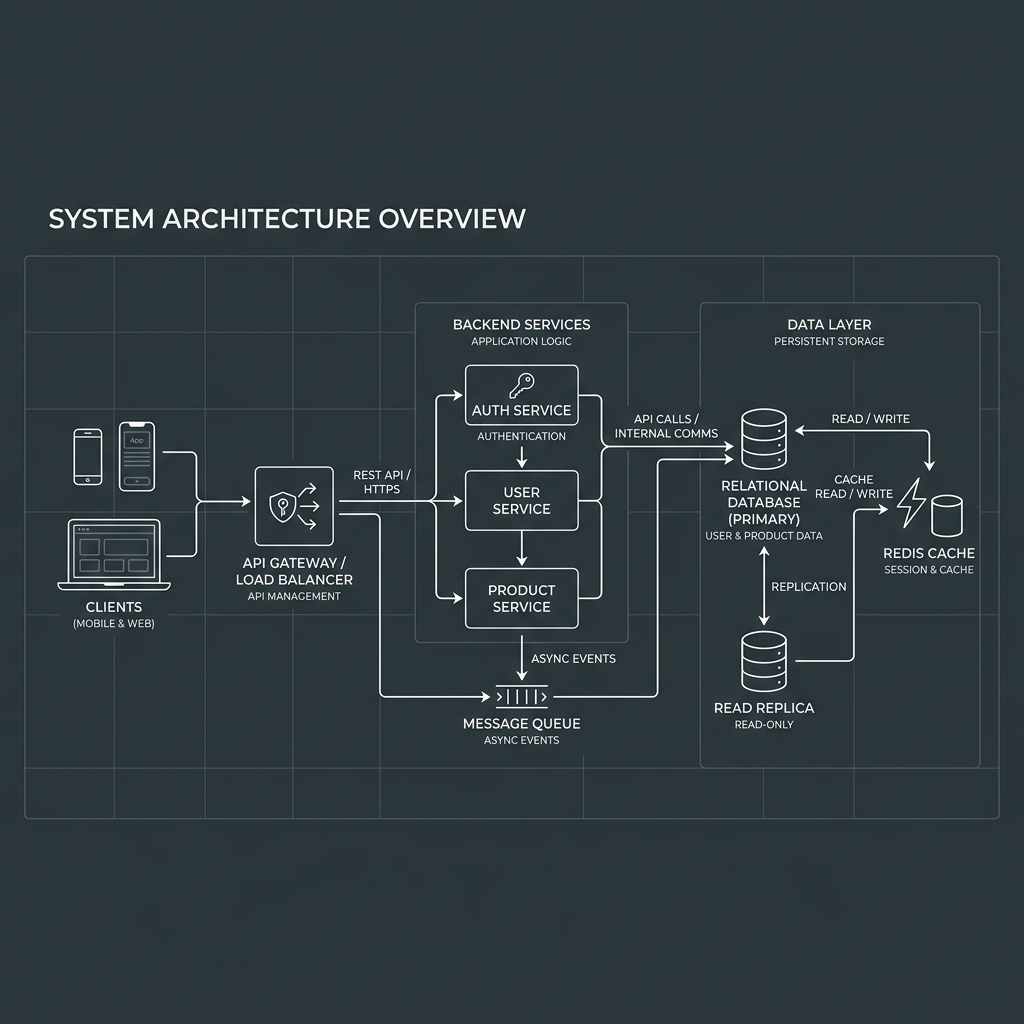
The 20-point pre-launch engineering checklist covering database query bottlenecks, token refresh race conditions, and memory leaks that sabotage app launches.
In mobile software engineering, there is a painful rite of passage: an app performs flawlessly on an engineer’s iPhone 15 Pro connected to gigabit office Wi-Fi, only to collapse within minutes of hitting Product Hunt or the App Store.
Real users do not behave like emulators. They use five-year-old Android phones with degraded batteries. They walk into subway tunnels while completing payments. They tap action buttons five times per second when a network connection stutters.
To prevent launch-day disaster, our mobile studio uses a comprehensive pre-launch engineering audit. Here is the definitive breakdown of what actually breaks when real users touch your app, and how to verify each before you launch.
Planning a App Architecture project?
Book a free strategy session with our senior architects to evaluate your technical scope, UI requirements, and timeline estimates.
1. Unindexed Database Queries & Firestore N+1 Read Traps In local testing with 50 mock records, database queries return in 10ms. When 2,000 users join and create records, queries that lack compound indexes trigger full table scans or recursive document reads. ### The Failure Mode Your backend API latency spikes from 80ms to 4,500ms. In Firebase Firestore, an unindexed feed query can burn through your monthly free tier in 4 hours, generating surprise $800 cloud bills on Day 1. ### Pre-Launch Checklist - [ ] Profile slow queries in PostgreSQL using `EXPLAIN ANALYZE` - [ ] Ensure all composite Firestore queries have pre-built indexes generated in `firestore.indexes.json` - [ ] Implement client-side pagination (limit to 20 items per fetch with infinite scroll)
2. Background State Destruction & Memory Leaks When a user receives a phone call or switches to WhatsApp, the mobile operating system aggressively reclaims RAM by terminating background activities. ### The Failure Mode The user switches back to your app 10 minutes later. Because the application did not serialize its navigation state and user inputs to local persistent storage, the app crashes or reloads to the root splash screen, wiping out an uncompleted 15-field checkout form. ### Pre-Launch Checklist - [ ] Test with Android Developer Options: Enable "Don’t keep activities" - [ ] In Flutter, test widget disposal: ensure all `TextEditingController` and `StreamSubscription` instances are canceled in `dispose()` - [ ] Verify that unsaved user input is saved in SQLite or MMKV local storage on background lifecycle pause
3. JWT Token Refresh Race Conditions Most modern mobile apps use short-lived JWT access tokens (15-minute expiry) paired with long-lived refresh tokens stored securely in iOS Keychain / Android Keystore. ### The Failure Mode When a user opens the app after 20 minutes of inactivity, 5 parallel API calls fire simultaneously to load the user profile, notifications, feed, and unread messages. All 5 receive a `401 Unauthorized` status and simultaneously trigger a refresh token request. The backend invalidates the refresh token on the first request, causing the remaining 4 to fail—logging the user out unexpectedly. ### Pre-Launch Checklist - [ ] Implement an API request queue with an interceptor lock: when a 401 is received, pause outgoing requests, fetch the new access token once, update headers, and replay queued requests
4. Push Notification Token Drift Push notifications are critical for Day 1 user retention. Yet up to 30% of push notifications fail to deliver following major OS updates. ### The Failure Mode APNs and FCM push tokens change when users restore from backups, update iOS/Android, or reinstall the app. If your client app does not listen for `onTokenRefresh` events and update your database records, users become unreachable. ### Pre-Launch Checklist - [ ] Instrument token refresh listeners in Flutter/React Native - [ ] Verify APNs production certificates (sandbox vs production environment mismatch is the #1 reason notifications fail in live App Store builds) - [ ] Test notification payload deep-linking with Universal Links when the app is in killed, background, and foreground states
5. Rate Limiting & Accidental DDoS When an API returns a 500 error, naive frontend code with auto-retry loops can turn your own mobile app into a DDoS attack against your server. ### Pre-Launch Checklist - [ ] Enforce exponential backoff with jitter on all failed network requests - [ ] Disable submit buttons immediately upon click to prevent double-charging credit cards - [ ] Configure cloud rate-limiting (e.g. Cloudflare or API Gateway) to protect endpoints from automated scraping
Need a Second Pair of Eyes Before Launch? If your startup is preparing to release an MVP or major product overhaul, let senior mobile engineers audit your architecture before your users do. Learn more about our [App Rescue & Codebase Stabilization service](/services/app-rescue) or read our [startup MVP development framework](/services/mvp-development).
“Your app does not fail during launch because of bad marketing—it fails because edge cases untested in local emulators crash on real hardware.”
Ready to build your next mobile app?
From initial product strategy and UI/UX design systems to high-performance Flutter & React Native engineering.
Start a conversation with our team ↗Frequently Asked Questions
What is the most common reason apps crash on launch day?
Unhandled network timeout errors and memory leaks when the app is suspended to the background during heavy multi-tasking.
How can we stress-test our mobile app before public launch?
Run closed internal beta testing with 50+ users on diverse physical hardware, run automated monkey tests in Firebase Test Lab, and load-test backend APIs with k6 or Locust.

Ahsan Farooq
Verified AuthorFull Stack Developer & Founder of Apperdev
7+ years of mobile engineering experience across Flutter, React Native, native iOS, and Android. Shipped 8+ production applications. Specializes in mobile systems architecture, performance profiling, and app store deployment.